Overview of the Dashboard
The TenantBooks Dashboard provides a clear overview of your rental property business. This guide will help you quickly understand and use each section of the dashboard to manage properties, tenants, payments, and expenses efficiently.
1. Dashboard Overview
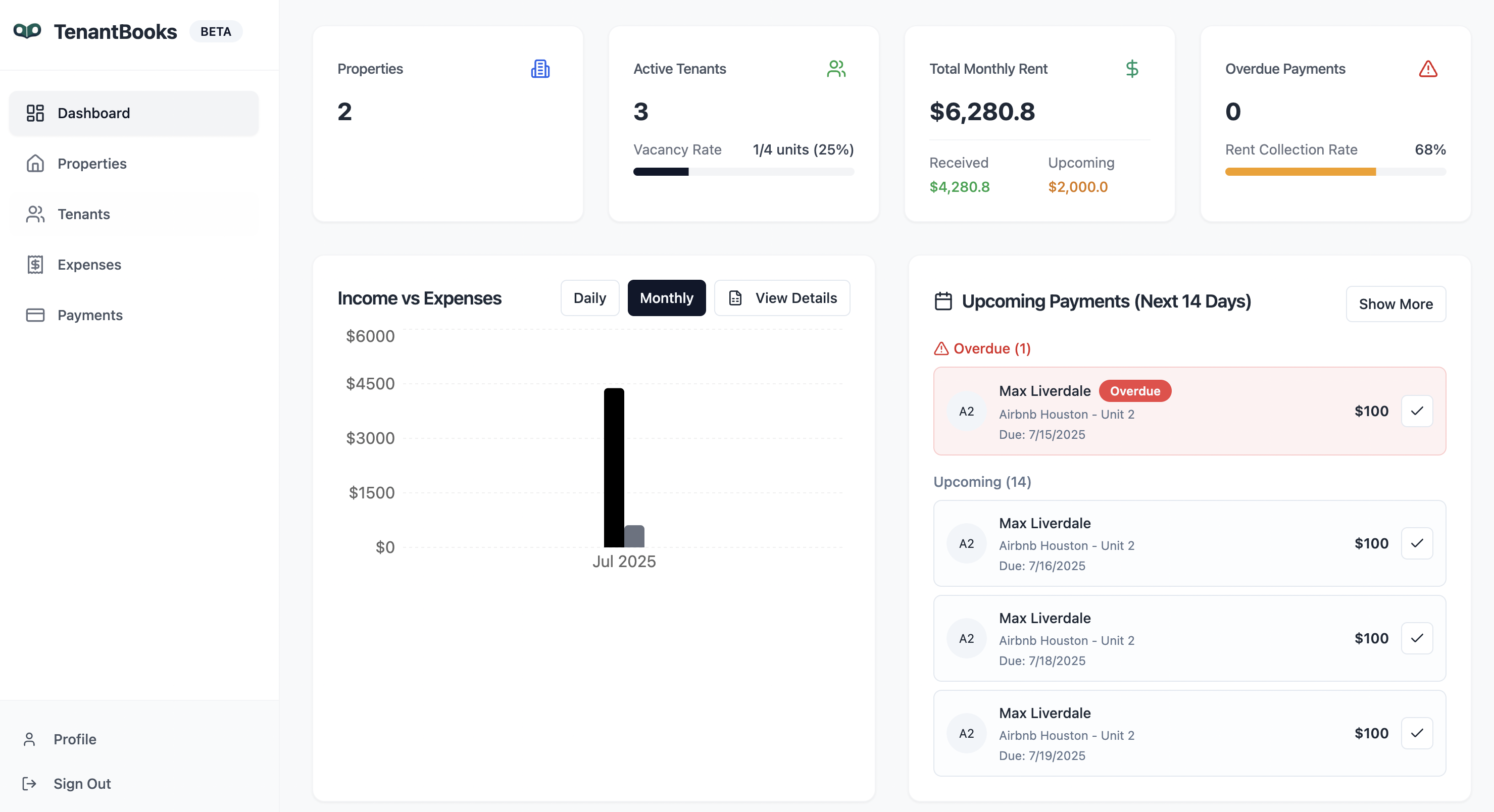
The main dashboard displays all key metrics and actionable items at a glance:
-
Properties: Shows the total number of properties you manage.
-
Active Tenants: Displays the number of tenants currently leasing units. Includes the vacancy rate (percentage of unoccupied units).
-
Total Monthly Rent: Summarizes total rent due for the month, with breakdowns for received and upcoming payments.
-
Overdue Payments: Indicates if any payments are overdue and your current rent collection rate.
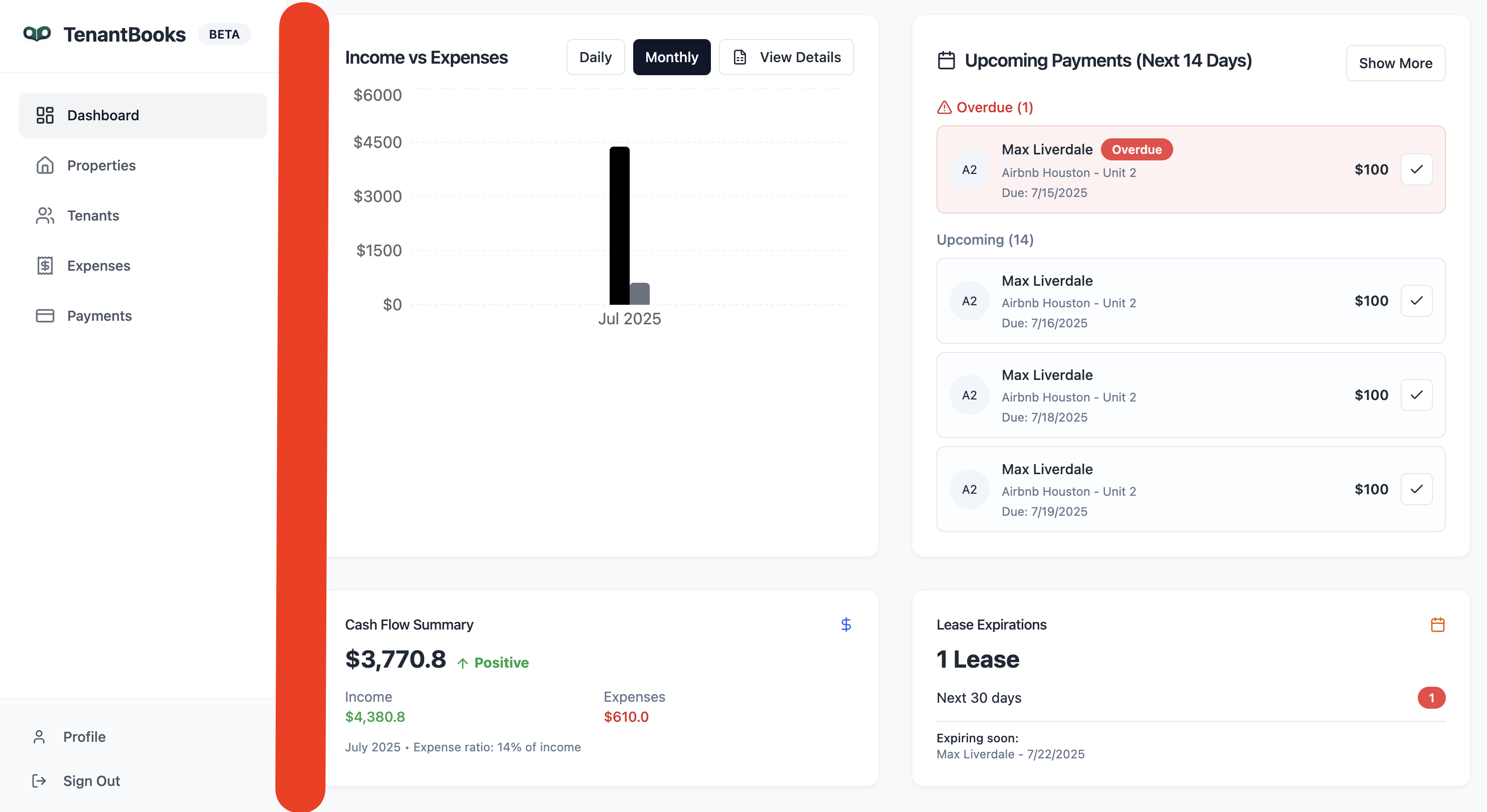
2. Income vs. Expenses
-
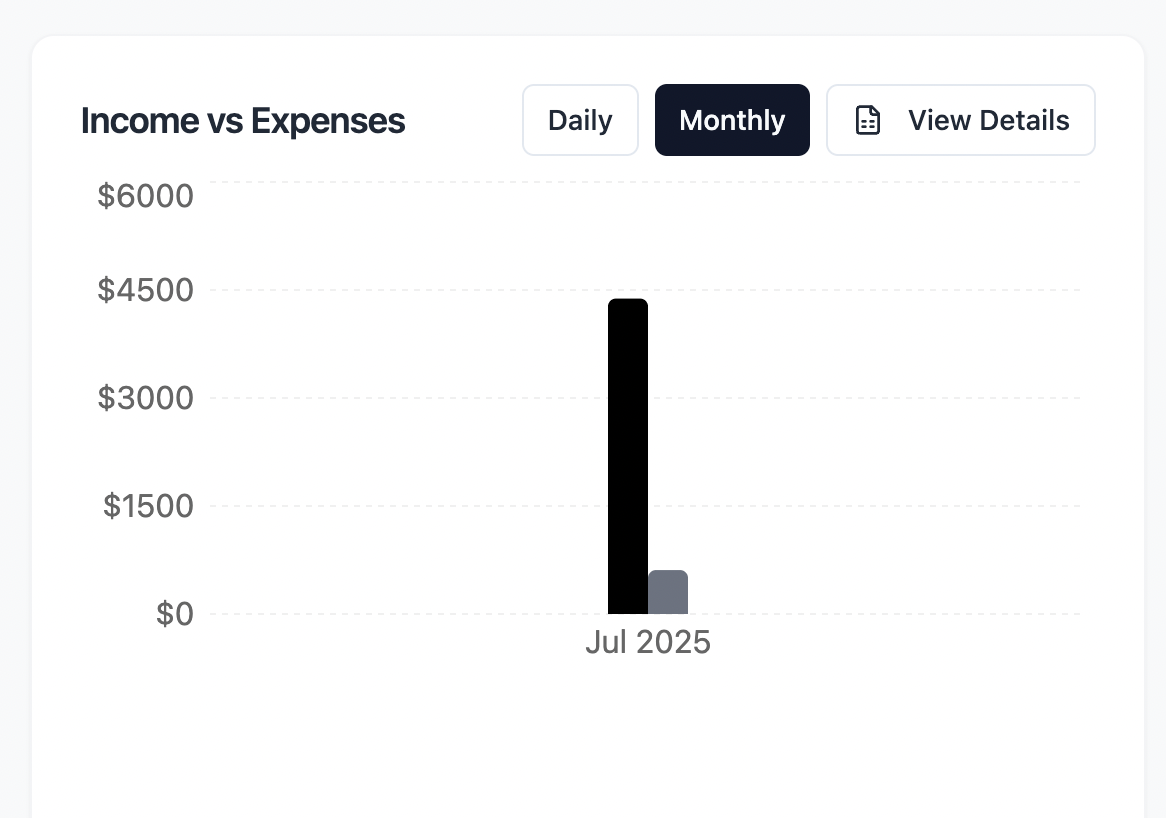
Chart View: Visualizes your income and expenses, helping you track profitability.
-
Toggle between Daily and Monthly views for different timeframes.
-
Click "View Details" for a deeper breakdown.
-
-
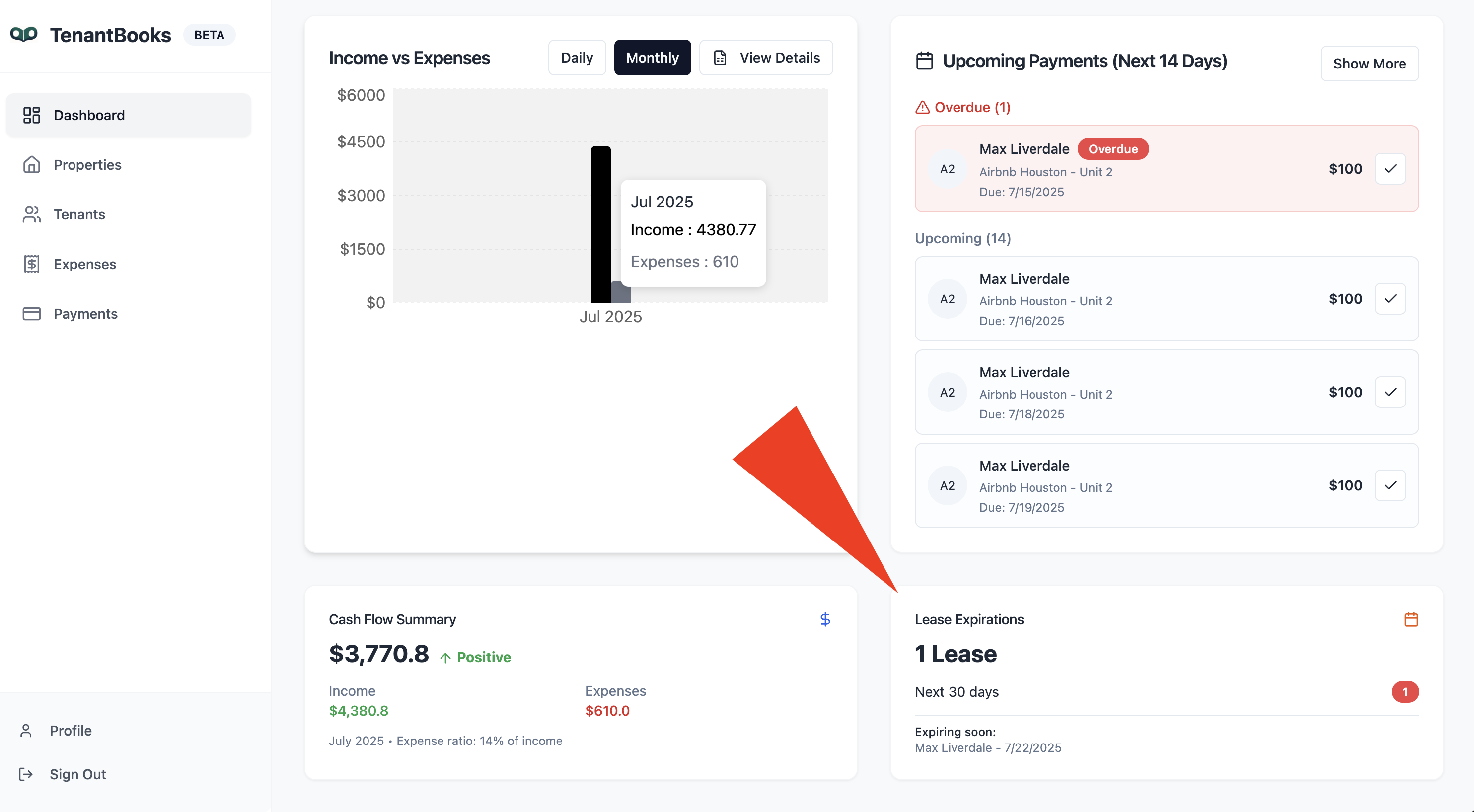
Cash Flow Summary: Shows your net cash flow (income minus expenses) for the current period, with positive/negative status clearly indicated.
3. Upcoming Payments
-
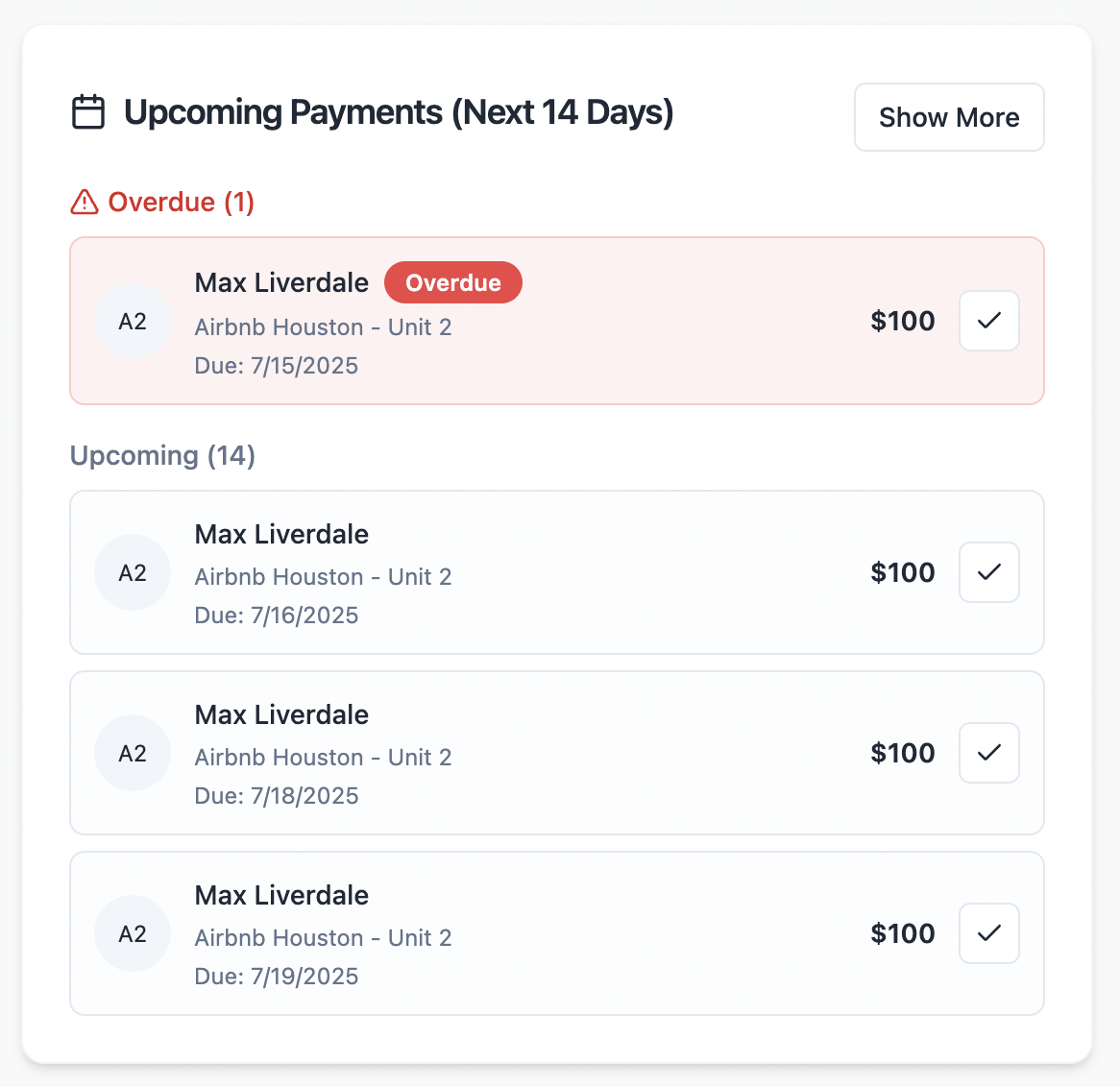
Next 14 Days: Lists all rent payments due soon.
-
Overdue Payments are highlighted in red for quick action.
-
Each entry shows the tenant’s name, property/unit, due date, and amount.
-
Mark payments as received directly from this list by clicking the checkmark.
-
4. Lease Expirations
-
Lease Expirations Widget: Alerts you to leases expiring within the next 30 days.
-
Shows the tenant name and expiration date.
-
Helps you plan renewals or find new tenants proactively.
-
5. Navigation Menu
Use the sidebar to access all main sections:
-
Dashboard: Returns you to the main overview.
-
Properties: Manage property details and units.
-
Tenants: Add, edit, or remove tenants and view lease information.
-
Expenses: Track and manage property-related expenses.
-
Payments: Review and manage all rent payment records.
-
Profile/Sign Out: Access your account settings or sign out securely.
Tips for Efficient Use
-
Check the dashboard regularly to stay on top of overdue payments and upcoming lease expirations.
-
Use the export features (in Properties, Tenants, Payments, Expenses) to download your data as CSV files for reporting or backup.
-
Review the cash flow summary each month to monitor the financial health of your portfolio.
-
Set up notifications and reminders (when available) to never miss important events.